
VCT//CALENDAR
Automatically receive updates for upcoming VALORANT matches and events. Integrates with Google Calendar.
Sign in with Google to get started for free.
Automatically receive updates for upcoming VALORANT matches and events. Integrates with Google Calendar.
Sign in with Google to get started for free.
Customize your calendar once, and forget about it. All upcoming matches for teams and events you care about will automatically be pushed to your calendar.
Each match is summarised in the google calendar, including links to the VLR page.
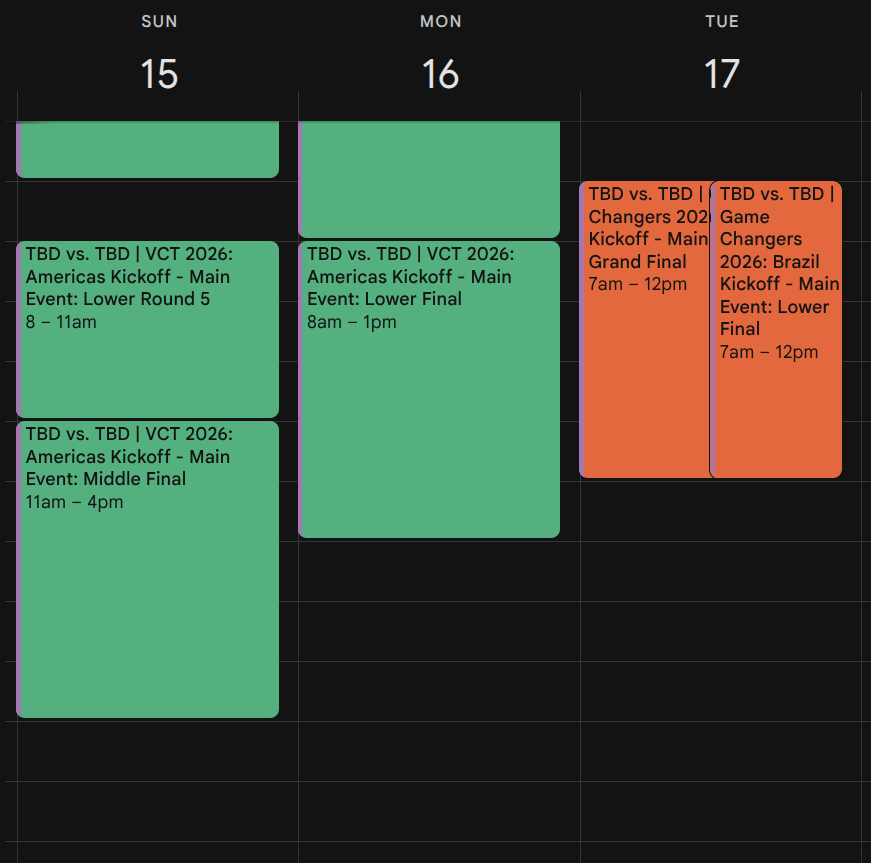
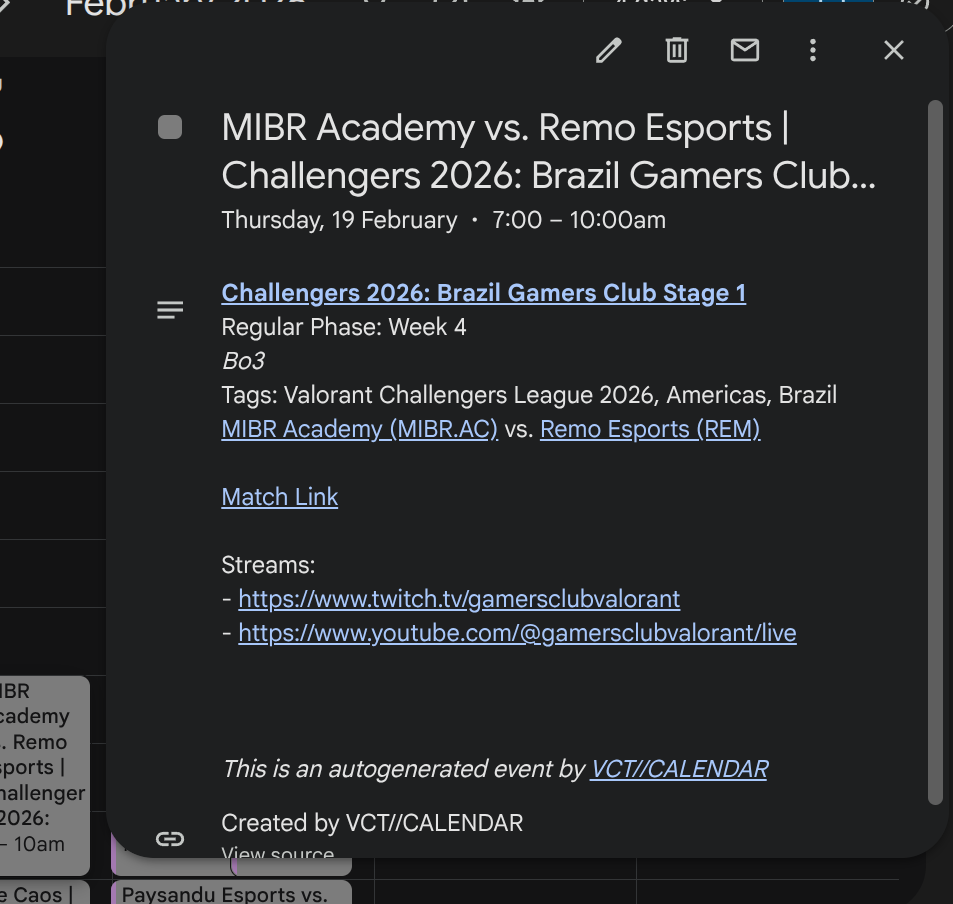
The VALORANT esports schedule can be a bit dense and hard to follow at times. Pick your favourite team(s) and league(s) to tune into.
Your calendar is updated immediately after making changes to your preferences. After that, upcoming matches are fetched every hour.
Once you have configured your preferences, you are all good to go. You can update your preferences at any time.
Sign in with Google
Configure which leagues and teams you want to keep up with
Calendar is updated every hour
A rule defines which matches to add to your calendar.
There are four different types of rules:
Rules get applied in this order:
Presets > Leagues > Events > Teams.
Team Rules and Preset Rules are ALWAYS applied from top to bottom.
Event rules and League rules can be applied in any order, as event/league rules have no overlap with other events/leagues.
As an example, you could define a preset rule that subscribes to all current and future VCT Americas events with no alerts, then have an additional team rule with alerts/colors only for your favourite team (e.g. NRG). This essentially creates an overriding rule over the original preset rule - as an example if you wanted to be reminded for all VCT Americas, but want to make sure you don't miss out on your favourite team.
If you have recently updated your rules, a worker will push new events to your calendar(s) within 1-5 minutes. After that, events are automatically updated every hour in order to respect rate limits.
See: How often are events updated?
Also check to see that you are saving your changes.
If this is still not working, revoke access to this app in your google account (Manage Accounts > Third Party Connections > VCT//CALENDAR)
. Then sign into this app again. You may need to do this if the first single sign-on was unsuccessful, or if you have changed your password recently.If you have pop-up reminder method enabled for a rule, then the calendar event will give you a reminder via a push notification on mobile devices.
If you have email reminder method enabled for a rule, then the calendar event will give you a reminder via an email to the gmail account you used to sign in to VCT//CALENDAR
Currently, adding multiple automated reminders is not supported. However, you can add an automated reminder via VCT//CALENDAR, then manually add up to 4 more reminders manually in Google Calendar (in slots 2-5).
Click on your profile in the top right. Navigate to settings and delete account.
Alternatively, you can also remove all calendars.